Everything you need.
Nothing you don't.
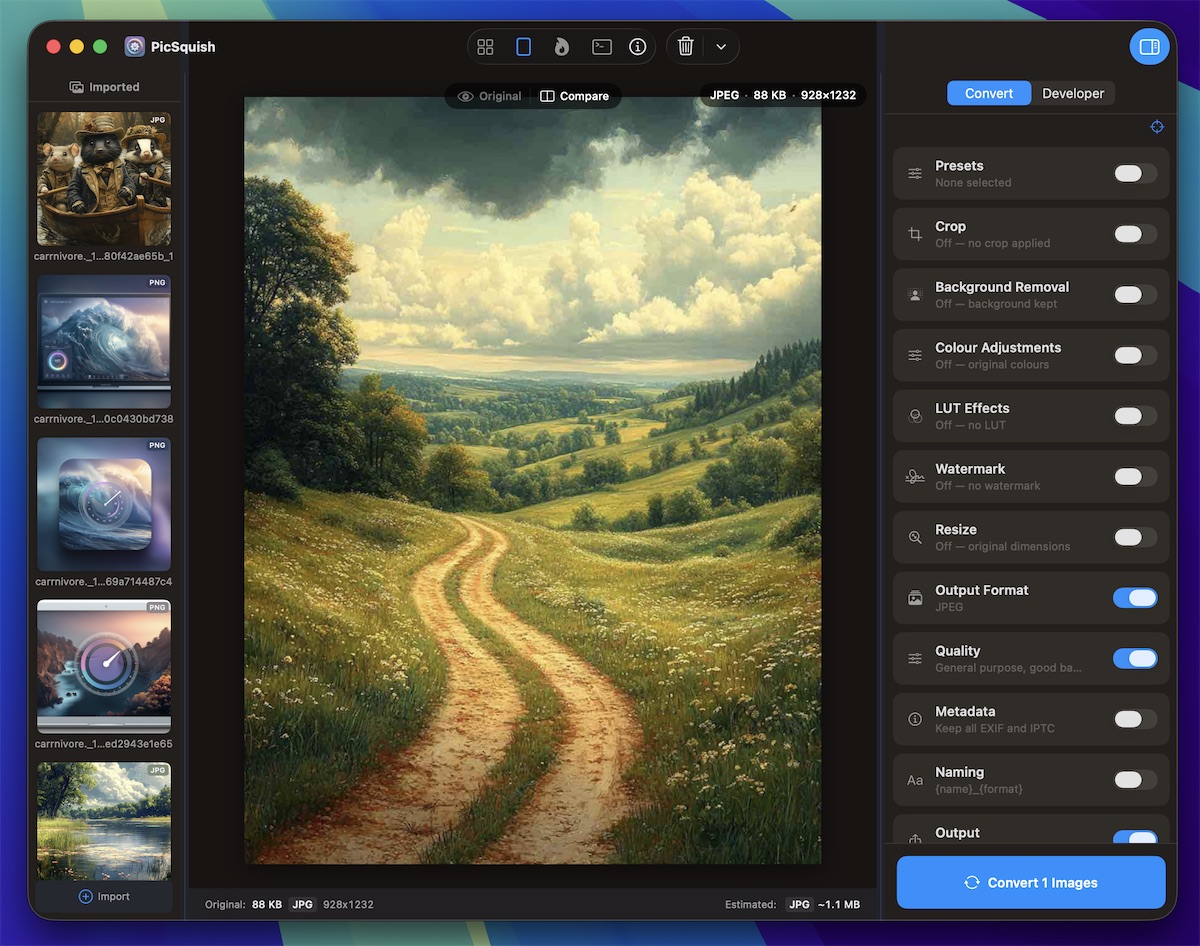
PicSquish is a single app that replaces a toolchain of CLI utilities, cloud services, and manual workflows — and it's as easy to use as dragging and dropping a file. Here's what's inside.
Features
Everything in one app
From format conversion to responsive image generation, batch processing to icon packs — PicSquish handles it all.
Responsive Image Sets
From one image, generate complete responsive sets — multiple breakpoints, multiple formats, ready-to-paste HTML with srcset and sizes.
- Six breakpoint presets or define your own
- AVIF, WebP, JPEG, and PNG
- Auto-generated HTML, JSX, or Markdown
- Batch mode for multiple source images
Format Support
Reads common image, SVG, HEIC/HEIF, RAW, and video frame sources, then writes 9 output formats with quality, bit depth, and compression controls.
- Modern: AVIF, WebP, HEIC
- Classic: JPEG, PNG, TIFF, GIF
- Specialist: PDF and ICO
- Format-specific encoding options
Auto Convert
Switch to Auto Convert mode and PicSquish becomes a hands-free processing station. Drop images in, they convert automatically.
- Queue images while a batch is processing
- Per-image status indicators
- Remembers your output folder
- Respects all your settings
AI Vision Mode
Optimise images for AI coding assistants like Claude, ChatGPT, and Cursor. Automatic classification and compression for screenshots and photos.
- Screenshots: 1568px, JPEG @ 85%
- Photos: 1280px, JPEG @ 70%
- One-click "Copy All Paths"
- Zero configuration needed
Perceptual Quality
Stop guessing quality sliders. Set a perceptual SSIM target and PicSquish finds the smallest file that looks identical to the original.
- Auto Quality with configurable SSIM target
- Before-and-after split-screen preview
- Six preset quality tiers
- Per-format manual sliders
Batch Processing
Import a folder of images and convert them all in one pass with parallel processing and live progress tracking.
- Pause, resume, or cancel at any time
- Failed images skip — batch continues
- Live stats and estimated time remaining
- Completion report with per-image details
Design Tools
Crop, adjust, colour grade, and watermark — non-destructive edits baked into every output file during conversion.
- Crop with aspect ratio presets
- 10 colour adjustment sliders
- LUT colour grading with .cube files
- Text and image watermarks
Developer Packs
Generate complete, correctly-sized icon sets for any platform from a single source image — with the exact metadata your build system expects.
- Apple: macOS, iOS, watchOS, tvOS, visionOS
- Android: adaptive icons, Play Store
- Web: favicons, PWA, social OG images
- Microsoft, Electron, Linux
Video Frame Extraction
Open supported video files, scrub to the exact frame you want, and export the selected frames through the full image conversion pipeline.
- Frame-accurate scrubber for precise extraction
- Export to supported image formats such as AVIF, WebP, JPEG, and PNG
- Apply crop, resize, and colour adjustments to the frame
- No screen recording, no video editor, no
ffmpeg
Background Removal
Remove image backgrounds in one step — colour key for flat backgrounds, or on-device AI subject detection for complex scenes.
- Colour key with tolerance, softness, and despill controls
- AI mode for photos, product shots, and illustrations
- Transparent, white, or custom colour fill
- Transparency preserved through PNG, WebP, AVIF, and HEIC output
Eraser & Cleanup
Clean up masks and image details before export with brush erasing, clone stamp strokes, and magic-wand selection.
- Brush erase with size, tolerance, and softness
- Clone stamp with opacity and feather controls
- Magic wand selections with add/subtract/intersect modes
SVG Optimisation
Strip editor bloat, simplify path data, and remove redundant markup from SVG files — without touching a single visible pixel.
- Removes metadata, comments, and unnecessary namespaces
- Simplifies path data and collapses redundant transforms
- Works on .svg and .svgz files, individually or in batch
Social Media Templates
Get your images perfectly sized for every major platform — Instagram, Facebook, Twitter/X, LinkedIn, YouTube, and more.
- Pick a platform, drop your image, export
- Optimised file sizes for fast uploads
- Combine with crop and adjustments
- No separate design tool needed
Metadata Control
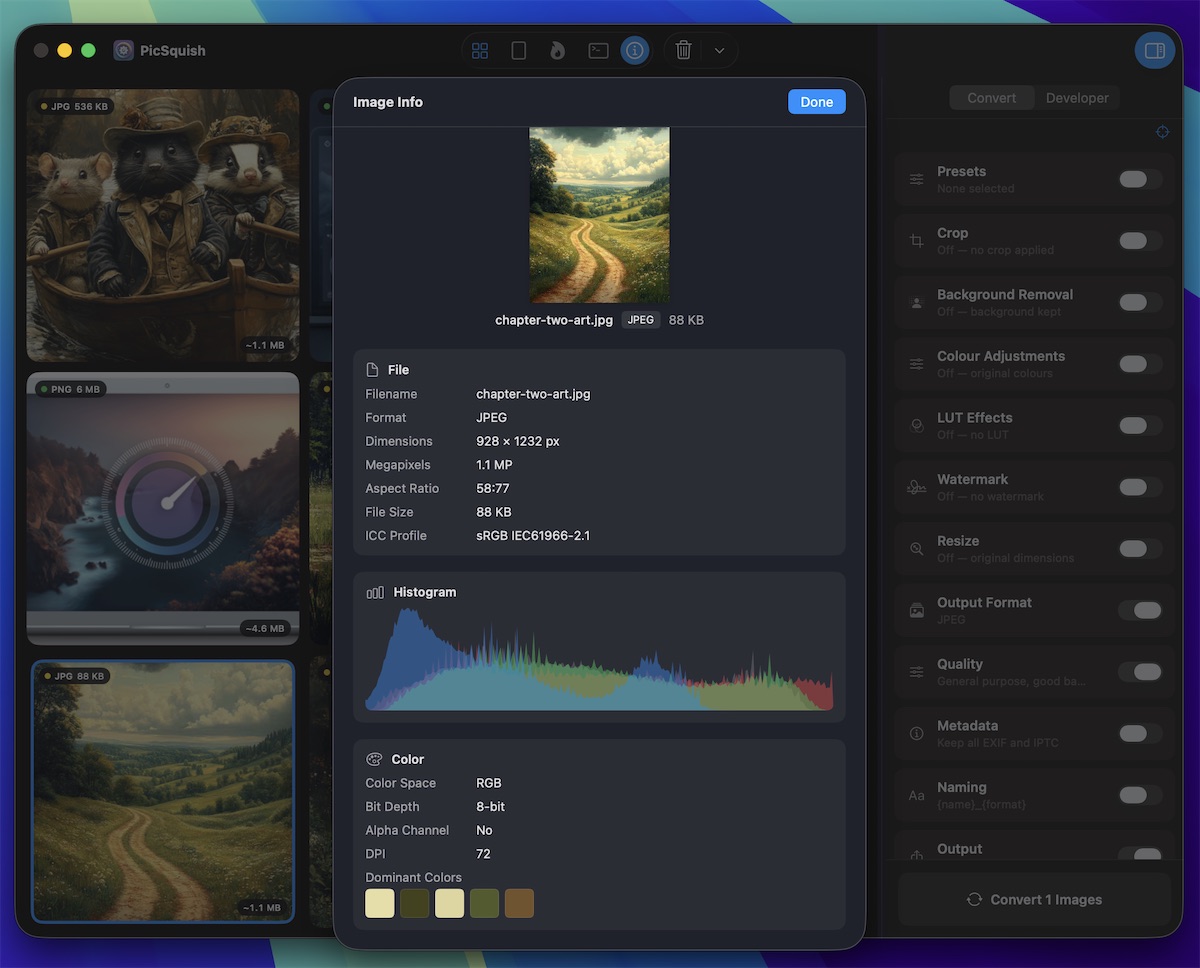
Three simple modes: preserve everything, strip everything, or strip just the GPS location data. Full metadata viewer included.
- EXIF, IPTC, XMP, GPS, ICC profile
- Strip GPS for privacy
- Strip all for the cleanest files
Canvas Fit & Enhancement
Fit images into fixed aspect ratios and apply finishing effects without leaving the conversion workflow.
- 1:1, 4:5, 3:4, 9:16, and 16:9 canvas ratios
- Blur, opacity, LUT, and radial fade backgrounds
- Noise reduction, normalize, vignette, and blend modes
Presets
Apply built-in recipes for AI, web, photography, social, media, and messaging workflows, or save your current format, quality, resize, and naming setup.
- Web Optimised, Archive TIFF, and more
- Apply with a click or keyboard shortcut
- Custom presets for repeat exports
Performance
Local speed. No waiting on uploads.
PicSquish is built around local processing, worker-backed conversion, bounded multi-format encoding, and cancellation controls so large batches stay manageable.
Worker Pipeline
Conversion runs outside the renderer UI
Batch Controls
Pause, resume, and cancel active work
Format Options
Dedicated paths for HEIC, ICO, PDF, and raster formats
Memory Efficient
Streams images — never loads the whole batch at once
Batch conversion processes jobs through a worker pool and reports per-stage progress back to the app.
That's a lot of features.
One app. One purchase. Every feature unlocked.