Features
Built for how you code with AI.
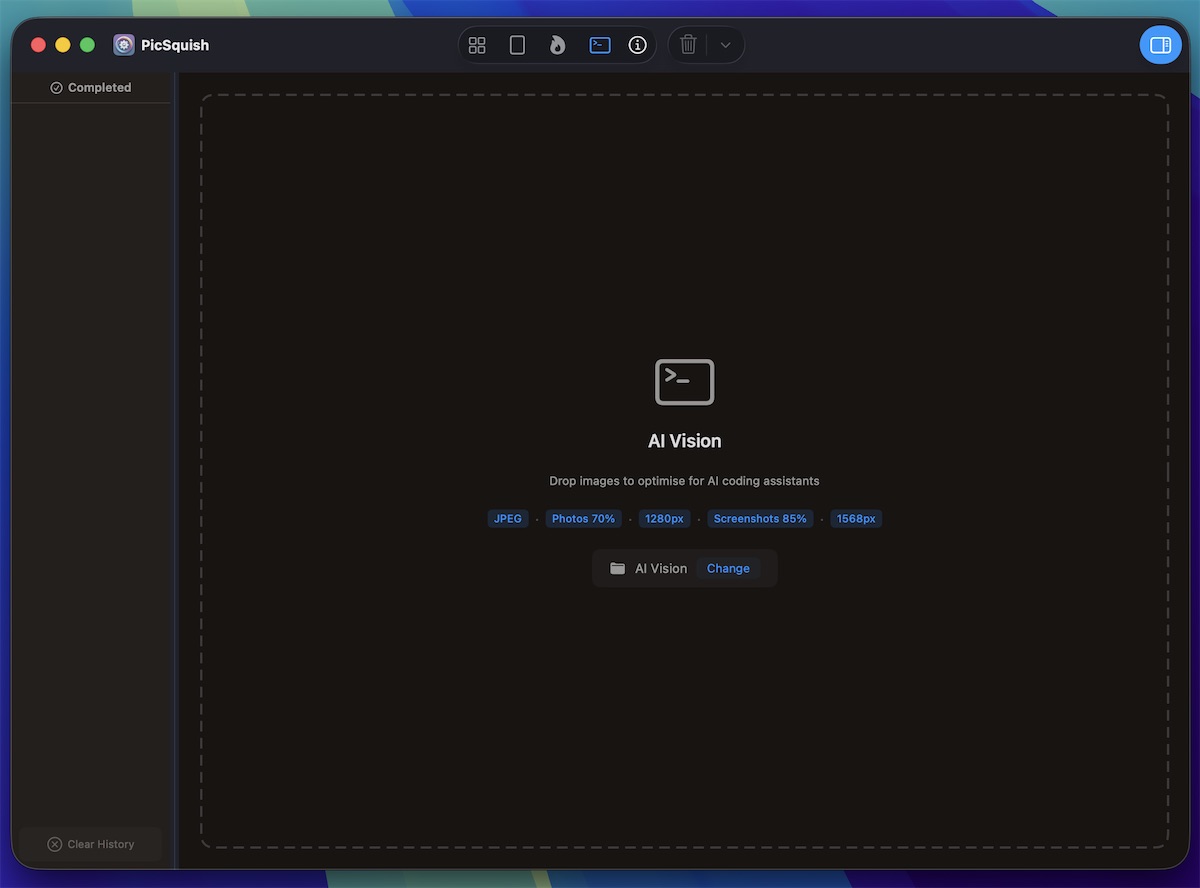
PicSquish includes a dedicated mode that optimises images specifically for AI coding assistants — so your screenshots and mockups are the right size, the right format, and as small as possible.
The Problem
AI coding assistants like Claude, ChatGPT, and Cursor process images differently to humans. They need enough detail to read your code, understand your UI screenshots, and interpret your design mockups — but bloated, oversized files waste tokens, slow down responses, and sometimes hit upload limits.
Getting the balance right manually means resizing, converting, and stripping metadata for every single image. It’s fiddly, repetitive, and easy to get wrong.
The Solution
Switch to AI Vision mode (Cmd/Ctrl+4) and drop your images in. PicSquish automatically classifies each one and applies the right treatment.
Screenshots
Resized to 1568px on the longest edge, exported as JPEG at 85% quality. This preserves code readability, UI text clarity, and error message detail whilst keeping file sizes small.
Photos
Resized to 1280px on the longest edge, exported as JPEG at 70% quality. Balances visual fidelity with file size for design references, mockups, and inspiration images.
All metadata is stripped automatically. No GPS data, no camera settings, no EXIF bloat — just the pixels your AI assistant needs.
After Conversion
Once your images are processed, PicSquish gives you everything you need to move fast.
- A batch summary showing how many photos and screenshots were detected
- Reveal in Finder — jump straight to the output folder
- Copy All Paths — copies every file path to your clipboard, ready to paste into your AI chat
Zero configuration. Intelligent classification. Purpose-built for the AI-assisted development workflow.
Your AI assistant will thank you.
Smaller files, faster responses, better results.
Download PicSquish