Features
Crop, adjust, grade, watermark — then convert.
PicSquish isn’t just a converter. The built-in design tools let you make non-destructive edits that are baked into every output file during conversion — no need for a separate image editor.
Crop
Crop your images freely or lock to a specific aspect ratio. PicSquish includes presets for the most common ratios — 1:1, 4:3, 16:9, 3:2, 5:4 — plus the option to define your own. A rule-of-thirds overlay helps you frame the composition.
Perfect for preparing images for social media, product listings, or web layouts where precise dimensions matter.
Colour Adjustments
Ten sliders give you direct control over how your images look, with live previews before export.
Exposure
Overall lightness
Brightness
Lift the midtones
Contrast
Punch or flatten the tonal range
Saturation
Intensity of all colours
Vibrance
Boost muted colours without over-saturating
Highlights
Recover or push the bright areas
Shadows
Lift or deepen the dark areas
Warmth
Shift the colour temperature
Sharpness
Enhance fine detail
Blur
Soften the image
LUT Colour Grading
Apply .cube lookup tables for cinematic colour grades. PicSquish comes with three bundled presets — Black & White, Colour Negative, and Colour Slide — or you can drag in your own .cube files from any colour grading tool.
An intensity slider lets you blend the LUT subtly rather than applying it at full strength. Great for giving a consistent look to a series of images.
Watermarks
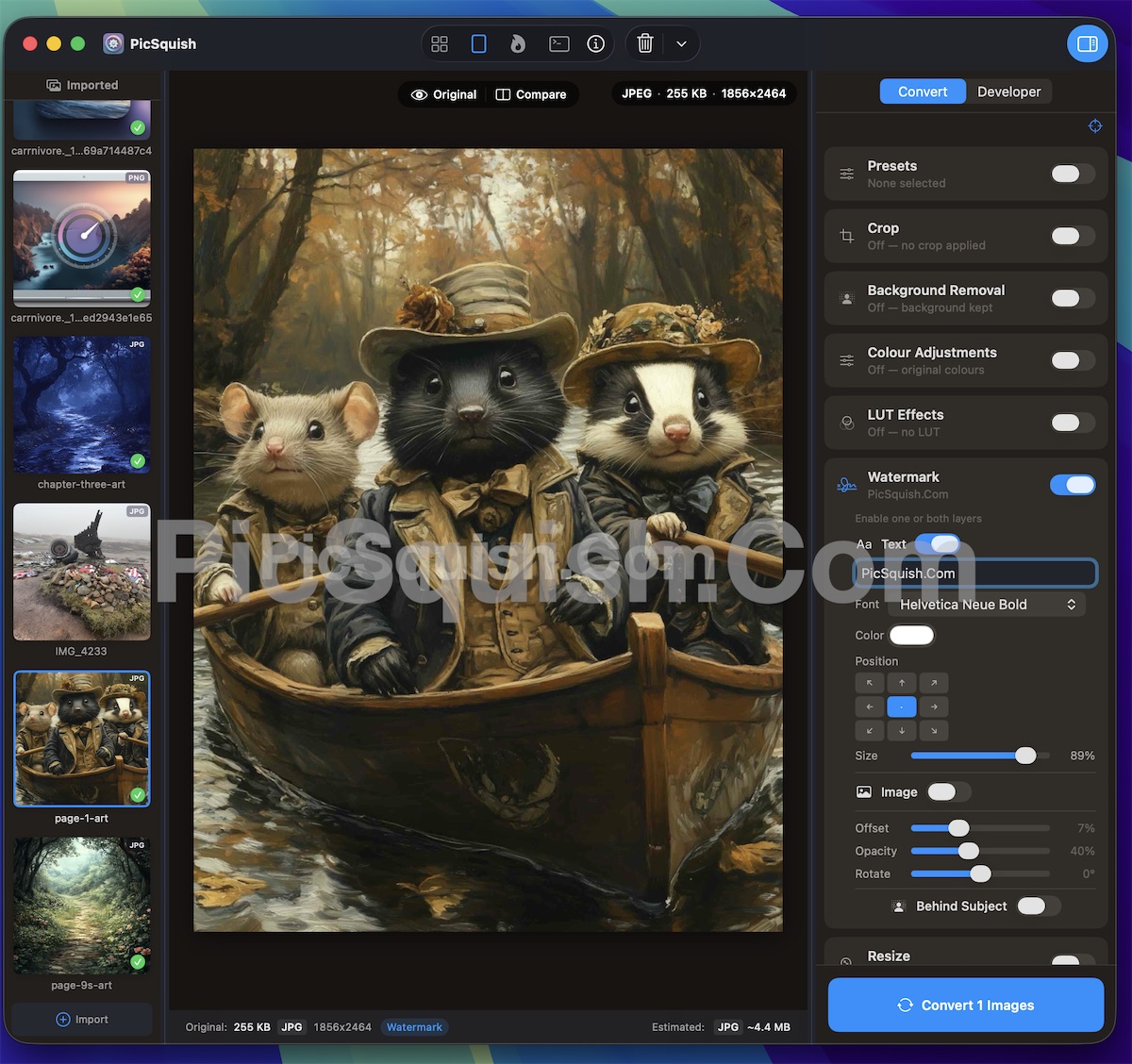
Add text watermarks, image watermarks, or both. Each watermark layer has independent controls.
Position
9-point grid — top-left, centre, bottom-right, and everything in between.
Font, colour, and size
Full typography control for text watermarks.
Opacity
From subtle to prominent — set the right level of visibility.
Rotation
Angled placement for security watermarks.
Watermarks are applied during conversion, so your original images remain untouched. Ideal for photographers sharing proofs, creators protecting their work, or businesses branding their visual assets.
Background Removal
Remove backgrounds without leaving PicSquish. Two modes, one step.
Colour Key — pick a colour from the background and flood-fill everything that matches. Tolerance and feathering controls handle both crisp edges and soft gradients. Best for product photography on white, flat-colour graphics, and screenshots.
AI Background Removal — On-device AI detects the subject and separates it from complex backgrounds. Works on portraits, landscapes, and product shots where a colour key won’t do. On-device, no upload required. Works on all supported platforms.
Backgrounds are replaced with transparency. PNG, WebP, AVIF, and HEIC preserve the alpha channel through to the output file.
Learn more about Background Removal
Non-Destructive by Design
Every edit you make in PicSquish is non-destructive. Your original images are never modified — adjustments are applied to the output during conversion. Change your mind? Just tweak the settings and convert again.
Edit and convert in one step.
No need to open Photoshop just to adjust brightness and save as WebP.
Download PicSquish