Developer Packs
Every platform's icons.
One source image.
PicSquish generates correctly-sized icon and image asset packs for Apple platforms, Android, Windows, web, Electron, and Linux — including metadata files where the pack requires them.
The Problem
Icon requirements are a mess
Every platform has its own icon requirements — and they're all different.
Dozens of sizes
iOS wants a single 1024×1024. macOS wants 10 sizes at 1x and 2x. Android wants adaptive icons across density buckets. Windows wants multiple target, scale, tile, and store sizes.
Specific naming
Each platform has its own file naming conventions. Get one wrong and your build fails — or worse, ships with a missing icon.
Metadata files
Xcode needs Contents.json. PWAs need manifest-icons.json. Each update means editing these files by hand.
It's tedious, error-prone, and exactly the sort of thing a computer should be doing for you.
The Solution
Import once. Generate everything.
Import one high-resolution source image. Select your target platforms. PicSquish generates every file, every size, every metadata file, in the correct folder structure. Drag straight into your project.
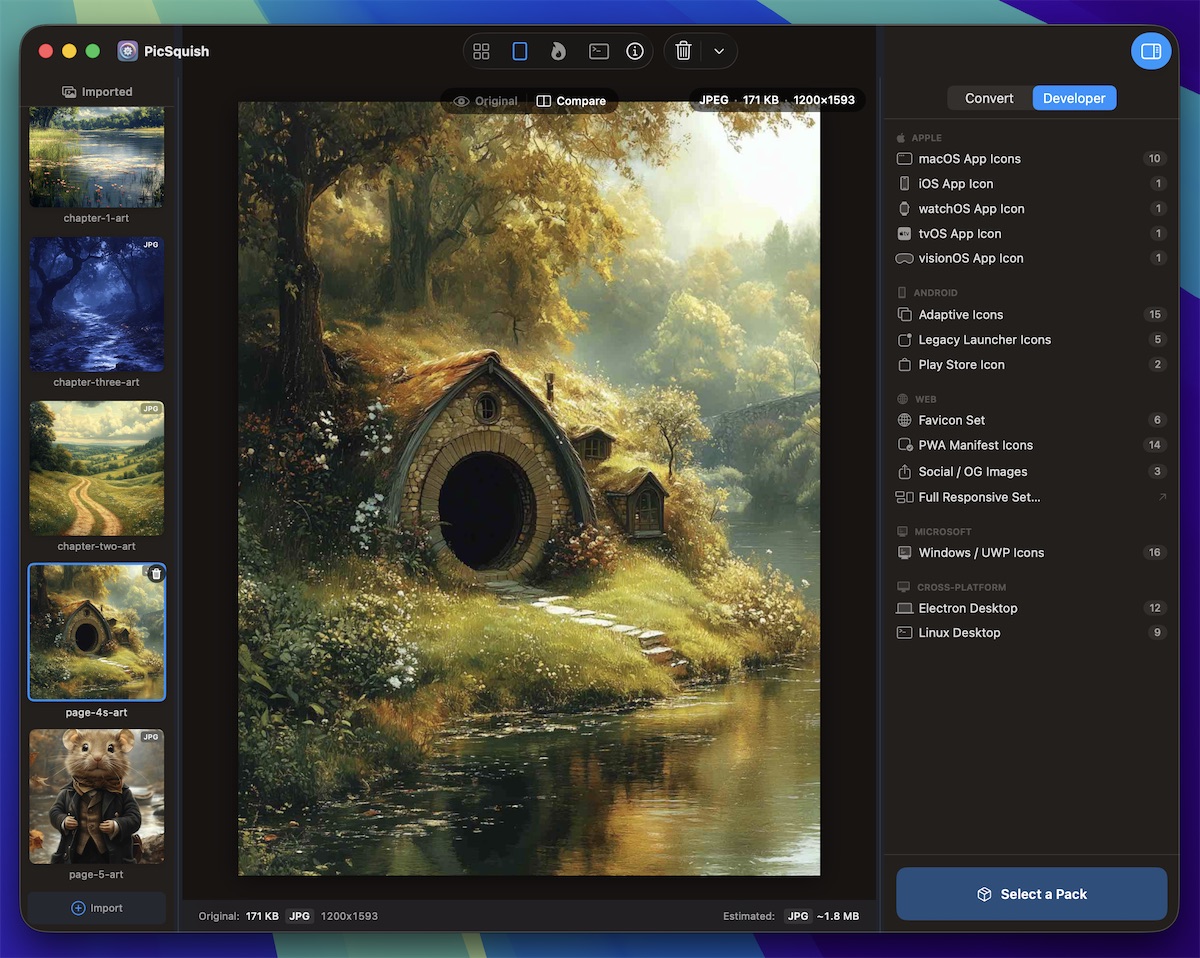
Apple
Apple icon packs
Every size Xcode expects, with Contents.json for direct import into asset catalogues.
macOS App Icons
10 PNG sizes at 1x and 2x resolution (16×16 through 512×512). Includes Contents.json for direct import into Xcode asset catalogues.
iOS App Icon
Single 1024×1024 PNG. The only file App Store Connect requires — iOS generates all device sizes automatically.
watchOS App Icons
17 PNG files covering every watch complication, notification, and home screen size. Includes Contents.json.
Android
Android icon packs
Adaptive icons, legacy launcher icons, and Play Store assets — all in the folder structure Android Studio expects.
Adaptive Icons
Foreground and background layers at all DPI scales: mdpi, hdpi, xhdpi, xxhdpi, xxxhdpi. Organised in the res/mipmap-* folder structure.
Legacy Launcher Icons
Square PNG icons for pre-Android 8.0 devices at all DPI scales. Drop straight into your project.
Play Store Icon
512×512 PNG for your Google Play Store listing. Exact specification, no guesswork.
Web
Web icon packs
Favicons, PWA manifest icons, social OG images, and the full responsive image set generator.
Favicon Set
16px, 32px, 48px, 180px (Apple Touch), 192px, and 512px PNGs for a complete favicon and browser icon set.
PWA Manifest Icons
All sizes required by the Web App Manifest spec. Includes auto-generated manifest-icons.json ready to reference from your manifest.json.
Social OG Images
Pre-sized images for Twitter/X Cards, Facebook Open Graph, and LinkedIn shares. No more cropped previews or awkwardly scaled thumbnails.
Full Responsive Set
The complete responsive image set generator — multiple breakpoints, multiple formats, production-ready HTML. PicSquish's flagship feature.
Explore Responsive Image SetsMicrosoft
Windows UWP icons
All required scale factors for app icons and tile images.
Scale factors
100%, 125%, 150%, 200%, and 400% scale factors for every icon and tile image Windows requires.
Tile formats
Square and wide tile formats included. Drop directly into your Visual Studio project.
Cross-Platform
Electron and Linux
One source image, every desktop platform covered.
Electron Desktop
Standard PNG icon sizes plus tray icons for Electron apps. One source, production-ready raster assets.
Linux Desktop
Freedesktop-compliant icon sizes for GNOME, KDE, and other Linux desktop environments.
Summary
What gets generated
For each pack, PicSquish outputs everything you need — no renaming, no resizing, no manual metadata editing.
- Correctly named PNG files at exact pixel dimensions
- Platform-specific folder structure
Contents.jsonfor Apple/Xcode asset cataloguesmanifest-icons.jsonfor PWA web manifests- Ready to drag into your project
Generate once. Ship everywhere.
Stop manually resizing icons for every platform update.
Download PicSquishIncluded with one-time purchase